CloudFave Bookmark Sync Tool

CloudFave is a Chrome extension that simplifies bookmark management by syncing bookmarks across various browsers and devices. It offers a convenient way to keep all your bookmarks organized and accessible wherever you go.

With CloudFave, you can enjoy the convenience of two-way bookmark synchronization to the cloud. This means that your bookmarks are always up to date, no matter which device or browser you are using. Additionally, the tool automatically takes regular snapshots of your data, ensuring that you never lose important bookmarks.

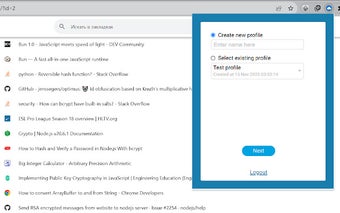
One standout feature of CloudFave is the ability to selectively choose which data to upload to the cloud. This gives users more control over their information and privacy. Moreover, CloudFave supports up to 5 profiles per account, making it versatile for personal and professional use.

 0/1

App specs

Program available in other languages


User reviews about CloudFave

Have you tried CloudFave? Be the first to leave your opinion!

Add review

Top extensions for Google Chrome

Top downloads Add-ons & Tools for Google Chrome

Top downloads Add-ons & Tools for Google Chrome

Top downloads Add-ons & Tools for Google Chrome

You may also like

Explore Apps

Latest articles

Laws concerning the use of this software vary from country to country. We do not encourage or condone the use of this program if it is in violation of these laws.
Softonic

Is CloudFave safe?

Score result: Clean

This file passed a comprehensive security scan using VirusTotal technology. It is safe to download.

  • Virus free
  • Spyware free
  • Malware free
  • Verified by Security Partners

    VirusTotal logo

Scan Info

Last scan
Monday, August 26, 2024
Scan provider
VirusTotal

Softonic security commitment

CloudFave has been thoroughly scanned by our advanced security systems and verified by industry-leading partners. This file comes from the official developer and has passed all our security checks, showing no signs of viruses, malware, or spyware. For more information, visit our Security and Trust Center